

Your next property client may already be searching for an estate agent on Google but if your Google Business Profile is incomplete, inaccurate or poorly optimised, they may never find you.
For real estate businesses, visibility on Google is important because searches such as “estate agent near me”, “property agent in [location]”, “letting agent” and “property valuation” can show local businesses in Google Search and Google Maps. A well-optimised profile helps Google understand who you are, what services you provide and where you operate.
In this guide, we explain how to create and optimise a Google Business Profile for real estate in 2026, including business categories, location and service areas, descriptions, services, photos, reviews, local SEO and E-E-A-T. Google says local results are mainly based on relevance, distance and prominence, so the focus should be on providing accurate, complete and useful business information rather than keyword stuffing.
Why Google Business Profile is Important for estate agents
Real estate is strongly connected to location.
A buyer usually wants property in a particular town, neighbourhood or region. A seller normally wants an agent who understands the local market. A landlord wants someone who can manage or let property in a particular area.
This makes local SEO particularly relevant to real estate businesses.
Your Google Business Profile can provide a connection between:
Your real estate business → your location/service area → your services → your website → customer reviews → Google Search and Maps
It also gives prospective clients a quick way to check whether your business is genuine and relevant to their needs.
A person searching for an estate agent may want to know:
- Where is the office?
- Does the agent cover my area?
- What type of property does the agency handle?
- Does the agency help with sales or lettings?
- What do previous customers say?
- What are the opening hours?
- Can I call the agent?
- Is there a website?
- Does the business have recent photographs?
- Does the business appear established and active?
A complete profile helps answer these questions before the person visits your website.
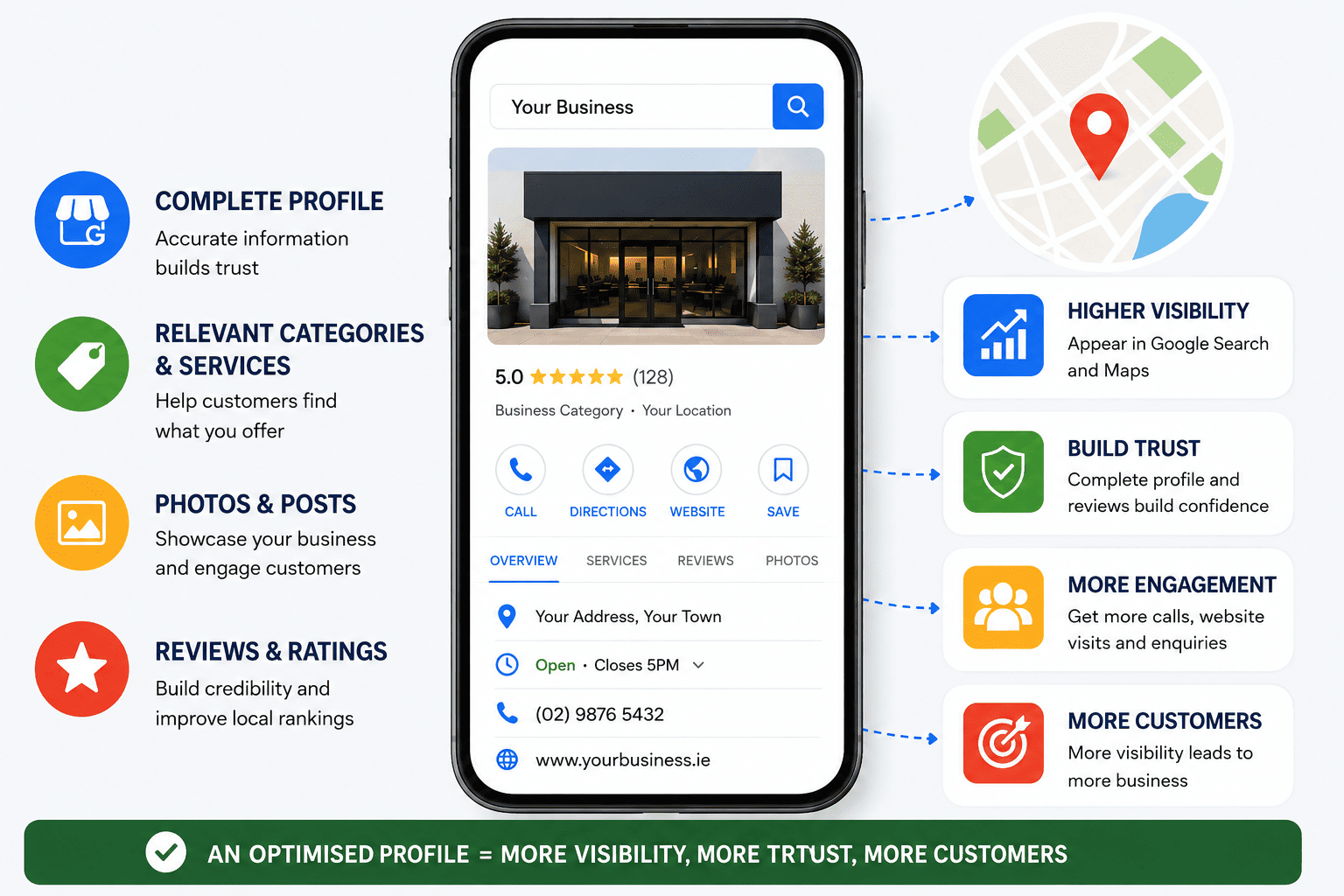
1. Check Your Real Estate Business Eligibility
Before creating a profile, make sure your real estate business is eligible for a Google Business Profile. Your business should have genuine in-person contact with customers. Individual properties for sale or rent should not have their own Business Profile.
- Office-based agency: Use your genuine business address.
- Home-based or mobile agent: Use a service area if customers do not visit your home.
- Avoid: Fake locations, virtual offices or duplicate profiles.
2. Create or Claim Your Google Business Profile
Search your business name on Google first. If a profile already exists, claim it instead of creating another one. If there is no listing, create a new profile and complete Google's verification process. (support.google.com)
Add your:
- Business name
- Primary category
- Address or service area
- Phone number
- Website
- Opening hours
3. Use Your Exact Business Name
Use the name customers recognise in the real world. Do not add keywords, locations or promotional phrases just to improve rankings. This can violate Google's guidelines.
Correct: Smith & Jones Estate Agents
Avoid: Best Estate Agents London | Smith & Jones Property Sales
Keep your business name consistent across your website, directories and social profiles.
4. Choose the Right Business Category
Your primary category tells Google what your business is. Choose the most accurate and specific category for your estate agency rather than selecting categories based on keywords.
- Choose one accurate primary category.
- Add secondary categories only when genuinely relevant.
- Never use unrelated categories to target extra searches.
5. Set Your Address or Service Area Correctly
Your location information should reflect where and how you actually serve customers.
If clients visit your office, display the eligible business address. If you travel to customers and they do not visit your premises, use a service area instead.
Do not create separate profiles for every town you serve.
6. Keep Your NAP Consistent
NAP means Name, Address and Phone number. Keep these details accurate across your Google profile, website, social media and important business directories.
Consistent information makes it easier for customers and search engines to identify the same real estate business.
7. Write a Useful Business Description
Use your description to explain what you do, where you operate and who you help. Include relevant services naturally rather than repeating keywords.
For example, mention:
- Property sales
- Lettings
- Property valuations
- Property management
- Local areas served
- Property specialisms
Avoid phrases such as “best estate agent” repeated throughout the description.
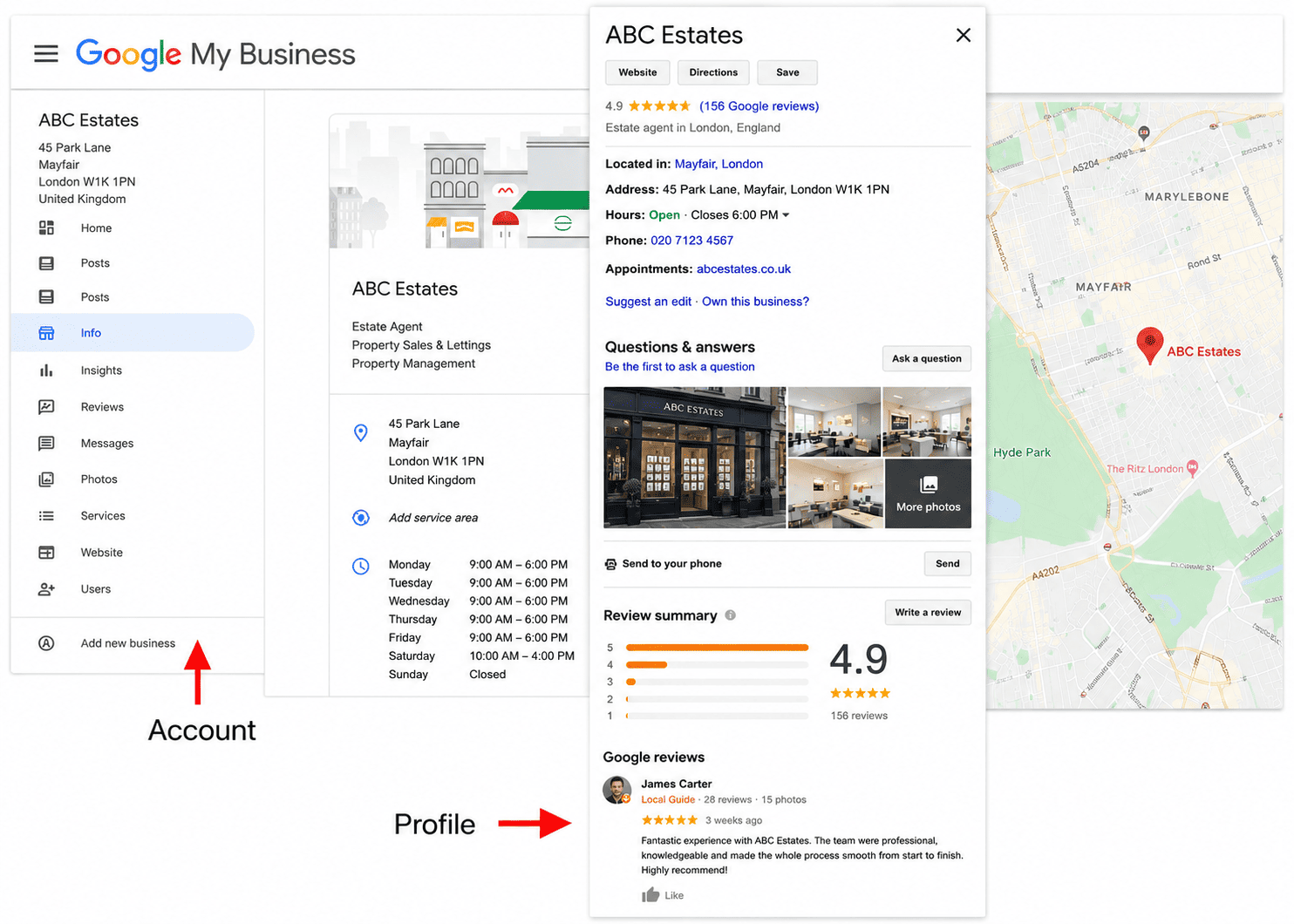
8. Add Your Real Estate Services
List the services your agency genuinely provides. This gives customers and Google clearer information about your business.
Common services include:
- Property sales
- Property valuation
- Residential lettings
- Property management
- Landlord services
- Buyer and seller support
- Commercial property
Only add services you actually offer.
9. Add Your Website
Your Business Profile and website should work together. Use your website to provide deeper information about your services, locations, property expertise and team.
Useful pages may include:
- Property sales
- Property valuations
- Lettings
- Property management
- Estate agents in [location]
Create pages for real customer needs, not every possible keyword variation.
10. Upload Genuine, High-Quality Photos
Use clear and authentic images that show your real estate business and team. Good photographs can help potential clients recognise and trust the business.
Consider adding:
- Office photos
- Team photos
- Business signage
- Agents at work
- Relevant property or local images
Avoid misleading, irrelevant or poor-quality images.
11. Get Genuine Customer Reviews
Reviews provide potential clients with evidence of your service quality and customer experience. Ask genuine customers for honest feedback after completing a service.
Never:
- Buy reviews
- Create fake reviews
- Offer rewards for positive reviews
- Ask customers for a specific rating
Genuine reviews support trust and E-E-A-T.
12. Respond to Reviews
Reply to both positive and negative reviews professionally.
Thank customers for positive feedback and address genuine concerns calmly. Never reveal private transaction details or argue with customers publicly.
If a review breaks Google's policies, report it through the appropriate process.
13. Share Useful Business Updates
Use available Google Business Profile updates to share information that helps local property customers.
Good topics include:
- Property market insights
- Home-selling advice
- Landlord tips
- Local events
- Company news
- Useful property guides
Focus on helpful information, not repeated sales messages or keyword stuffing.
14. Add Your Social Profiles
Where available, connect genuine business accounts such as Instagram, Facebook, LinkedIn and YouTube.
For estate agents, these channels can showcase property expertise, team activity, local knowledge and useful property content.
15. Keep Your Opening Hours Updated
Make sure your opening hours accurately reflect when customers can contact or visit your agency.
Remember to update holiday hours, temporary closures and seasonal changes so customers are not given outdated information.
16. Strengthen Your Local SEO
A Google Business Profile works best as part of a wider real estate local SEO strategy.
Support it with:
- A useful local website
- Service and location pages
- Genuine reviews
- Relevant local citations
- Industry links and mentions
- Helpful property content
- Consistent business information
The goal is simple: make it clear to Google and potential customers who you are, what you do, where you operate and why they can trust you.
How Google determines local results
It is important to understand what optimisation can and cannot do. Google says local results are mainly based on:
1. Relevance
How closely the Business Profile matches what someone searches for. A complete and detailed profile can help Google understand the business.
2. Distance
How close the business is to the searcher or the location associated with the search. An estate agent cannot simply add a hundred towns to its profile and expect to rank equally in all of them.
3. Prominence
How well known the business is.
Google says prominence can be influenced by information such as links and reviews.
This explains why there is no reliable "Google Business Profile hack" that guarantees a number-one position.
A strong profile improves the information Google has about the business, but local search remains competitive and location-dependent.
Google Business Profile Mistakes That Can Lead to Suspension
Some mistakes can do more than hurt your local rankings serious or repeated violations of Google's Business Profile guidelines can result in a profile being restricted, suspended or removed. For real estate businesses, avoid these high-risk practices:
- Using a fake or ineligible address: Do not use a virtual office, PO box or location where your business does not genuinely operate.
- Keyword stuffing the business name: Use your real-world business name rather than adding locations, services or promotional keywords.
- Creating fake or duplicate profiles: Do not create multiple profiles for the same estate agency simply to target different towns or neighbourhoods.
- Creating profiles for properties: Individual houses, flats or properties for sale or rent should not be treated as separate businesses.
- Buying or creating fake reviews: Fake engagement, paid reviews and incentivised reviews can violate Google's policies.
- Misrepresenting your business: False information about your location, services, opening hours or business identity can put the profile at risk.
- Creating profiles for businesses that are not eligible: Make sure your real estate business meets Google's eligibility requirements before creating a listing.
- Repeated policy violations: Continuing to use practices that violate Google's guidelines can lead to stronger restrictions on the profile.
Important: Google does not publish a simple list saying one specific mistake always results in a suspension. The action taken can depend on the type and severity of the violation. Always follow Google's current Business Profile guidelines and represent your real estate business accurately.
Google Business Profile optimisation checklist for estate agents
Use this checklist when auditing a real estate Business Profile.
Business information
- Correct real-world business name
- Correct primary category
- Relevant additional categories
- Correct address
- Correct service area
- Correct telephone number
- Correct website
- Accurate opening hours
- Special hours updated when necessary
Profile content
- Useful business description
- Relevant services
- Genuine photographs
- Current business information
- Relevant social profiles where available
- Appropriate updates or posts
Reviews
- Genuine reviews
- Review request process
- No paid or incentivised reviews
- Responses to reviews
- Appropriate reporting of policy-violating reviews
Local SEO
- Consistent business information across important websites
- Relevant local website pages
- Clear service pages
- Useful local content
- Relevant business citations
- Legitimate local and industry links
E-E-A-T
- Real team information
- Clear business identity
- Evidence of experience
- Useful expert content
- Accurate contact information
- Transparent company information
- Genuine customer experiences
How often should you optimise a Google Business Profile?
There is no need to make unnecessary changes every day. A better approach is to keep the profile accurate whenever something changes.
Review it regularly for:
- opening hours
- contact details
- address
- service areas
- categories
- services
- photographs
- social links
- reviews
- business description
- customer questions
- new business developments
A quarterly audit is a sensible starting point for many estate agencies, with immediate updates whenever important business information changes.
The goal is accuracy and usefulness, not constant editing.
How to Track Google Business Profile Performance
Do not judge the profile only by whether it ranks for one keyword.
Useful indicators include:
- Google Search visibility
- Google Maps visibility
- calls
- website visits
- direction requests where relevant
- messages where available
- review volume
- review quality
- customer enquiries
- branded searches
- local organic traffic
- leads from local landing pages
Google provides Business Profile performance information that can help businesses understand how customers interact with their profile.
The important question is not simply: "Did we rank number one?"
A better question is: "Are more relevant local customers finding, trusting and contacting the business?"
Conclusion
A well-optimised Google Business Profile can help real estate businesses become more visible to local buyers, sellers, landlords and tenants searching on Google Search and Google Maps.
The key is to provide accurate business information, choose the right category, use genuine photos, list relevant services, maintain consistent NAP details and build authentic customer reviews. Google’s local results are mainly influenced by relevance, distance and prominence, so there is no shortcut or guaranteed ranking position.
For estate agents, the best approach is to treat your Business Profile as part of a wider local SEO and E-E-A-T strategy. Keep your profile and website consistent, demonstrate genuine local expertise, publish useful property information and maintain a strong customer experience.
In short, accurate information + genuine reputation + relevant local content = a stronger and more trustworthy real estate presence on Google.
Frequently Asked Questions
Each profile should represent an eligible real-world business location or qualifying business setup.
Contact us to get a digital strategy
Contact us for digital strategy guidance.