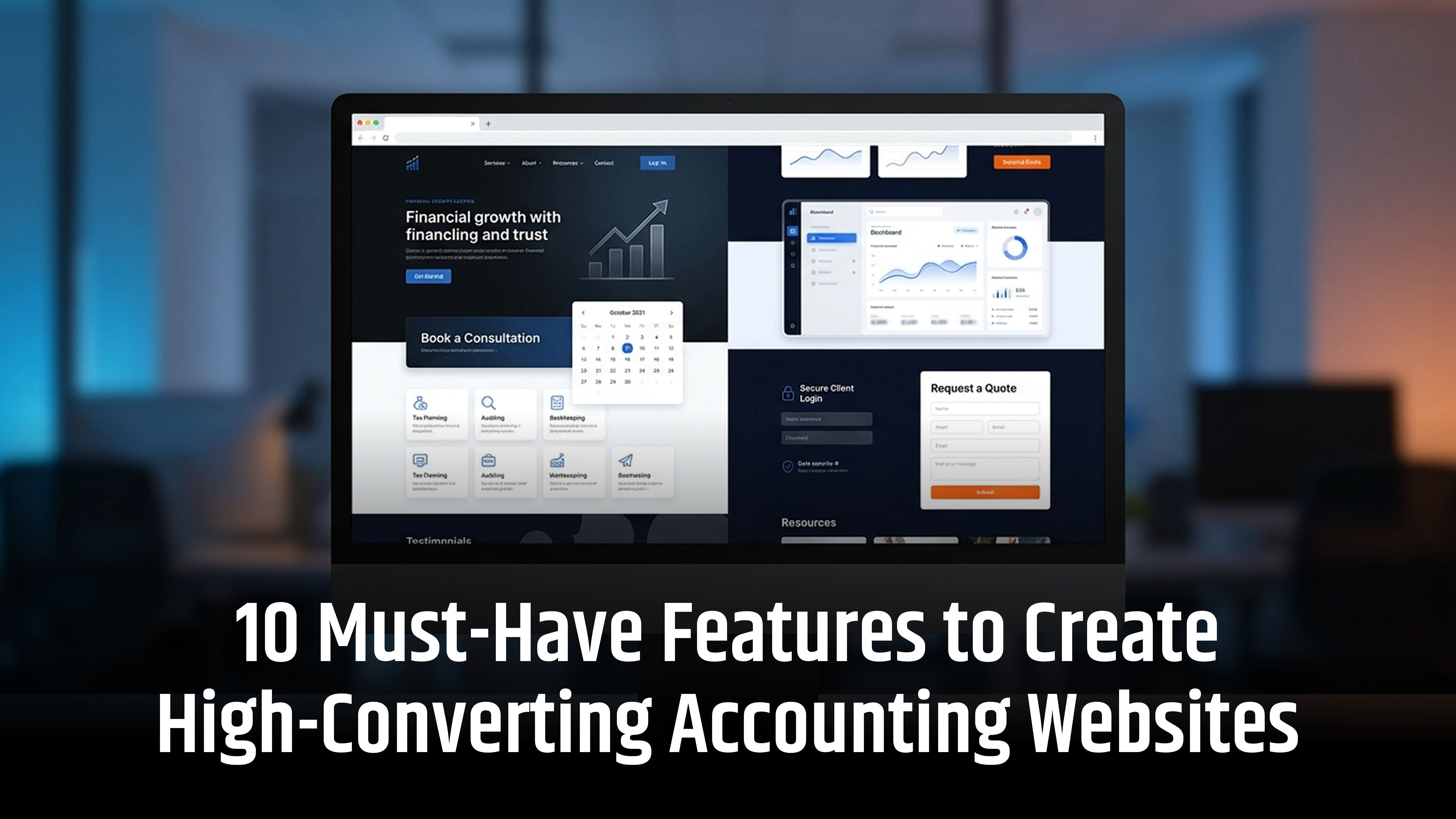
In 2026, a high-converting accounting website needs more than attractive design. It must be fast, secure and easy to navigate. Features like AI chatbots, automated client onboarding, tax calculators and secure client portals improve user experience.
They also help generate quality leads and build trust. Accounting software integrations, personalised content and online booking make it easier for clients to access services. Whether you run a small accounting practice or an established firm, the right website features can support business growth.
Here are 10 must-have features to create a high-converting accounting website.
The 10 trending features for Accounting Websites
Explore the latest website features transforming accounting firms’ online presence, enhancing client experiences and streamlining business operations.
| Modern Website Feature | What Makes It Different? |
|---|---|
| AI-Powered Accounting Website Assistant | Answers service-related questions, qualifies enquiries and guides visitors towards the right accounting services. |
| Agentic AI for Automated Client Onboarding | Helps visitors complete multi-step onboarding tasks, collect requirements and manage appointments, with human approval where needed. |
| Personalised Website Experiences | Adapts service recommendations, content and website journeys according to visitors' needs and business types. |
| Interactive Accounting and Tax Calculators | Allows visitors to estimate costs, VAT, payroll expenses and other financial figures using relevant inputs. |
| Conversational Search and Voice Navigation | Enables visitors to find services and information using natural-language questions or voice commands. |
| Real-Time Financial Dashboards and Client Insights | Provides authorised clients with access to relevant financial information through connected accounting platforms. |
| Advanced Lead Qualification and Progressive Forms | Collects enquiry information gradually and routes prospective clients to the appropriate service or team. |
| Unified Client Experience Through API Integrations | Connects CRM, accounting software, document management, booking and communication systems into one seamless experience. |
| AI-Search-Ready Content and Structured Entity Information | Makes professional expertise, services, locations and business information easier for search engines and AI-powered search systems to understand. |
| Interactive Video, Micro-Demos and Digital Client Education | Uses short demonstrations, explainers and interactive content to help visitors understand complex financial services. |
How these features should work on an accounting website
1. AI-powered accounting website assistant
Instead of a basic chatbot that only collects names and email addresses, an accounting website can have an AI assistant that understands visitors' questions and guides them towards relevant services.
For example, a visitor might ask:
- Do I need an accountant for my limited company?
- Can you help with VAT returns?
- What documents do I need for a tax return?
- Do you provide bookkeeping services for e-commerce businesses?
The AI assistant can use the firm's approved service information to provide answers, suggest relevant pages and offer an appointment.
Advanced capabilities:
- Natural-language conversations.
- Service recommendations.
- Frequently asked question handling.
- Lead qualification.
- Multilingual support.
- Human handover for complex enquiries.
The assistant should not invent tax advice or provide unverified financial recommendations. It should identify when a question requires a qualified accountant.
2. Agentic AI for automated client onboarding
An emerging development is the move from AI that simply answers questions to AI that can help complete tasks.
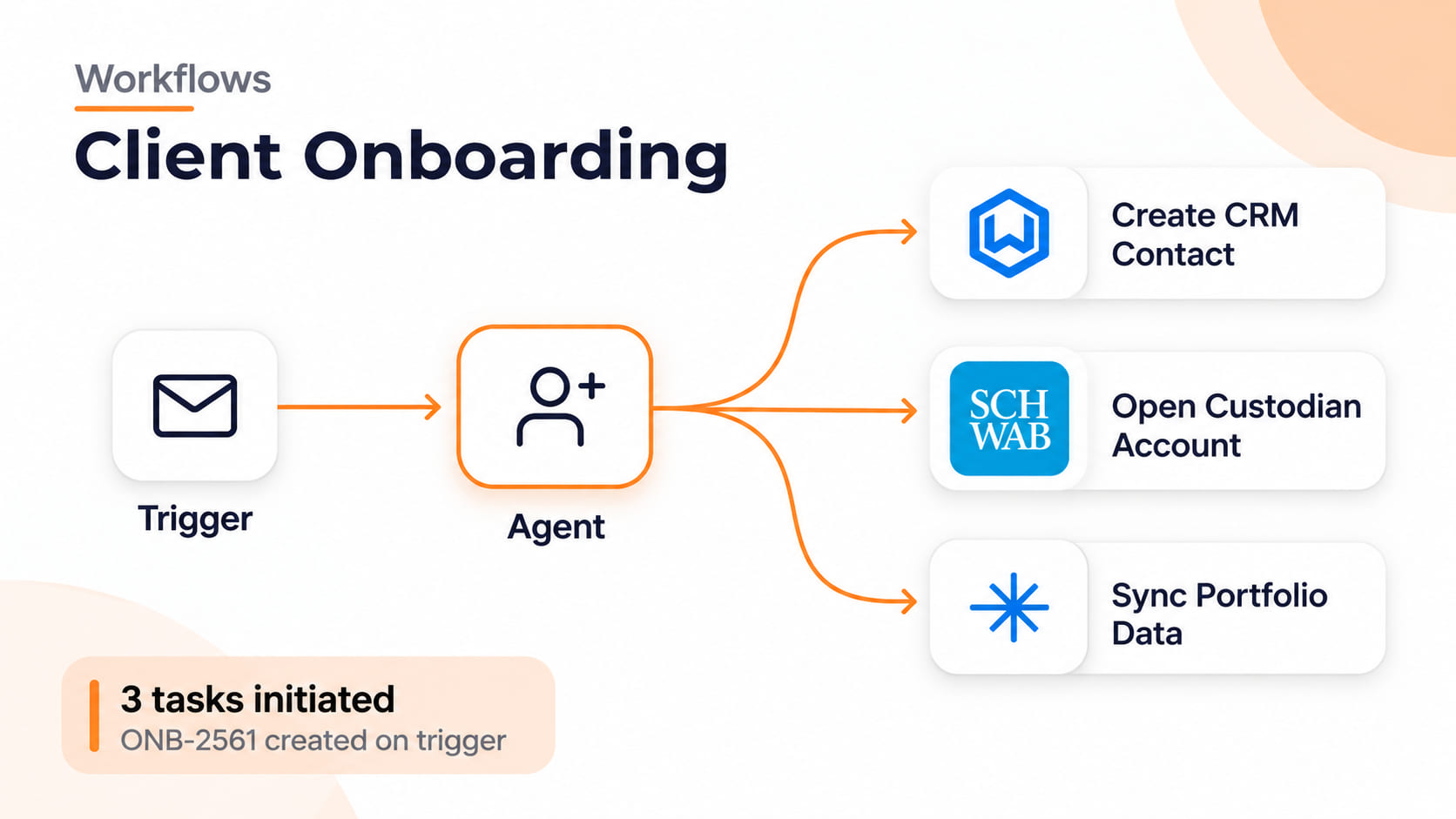
An agentic AI experience on an accounting website could guide a new client through an onboarding journey.
For example:
- A visitor selects the accounting service they need.
- The assistant asks relevant questions about their business.
- It identifies the documents or information required.
- It recommends the appropriate consultation type.
- It helps arrange an appointment.
- It creates an enquiry record in the firm's CRM.
- A staff member reviews the information before onboarding proceeds.
This reduces repetitive communication and makes the first interaction more organised.
Importantly, sensitive financial information should only be collected through an appropriately secured system, and the client should remain in control of important actions.
3. Personalised website experiences using AI
A modern accounting website does not need to show exactly the same content to every visitor.
Personalisation can help display relevant services and information according to the visitor's stated needs.
For example:
- A freelancer sees Self Assessment and bookkeeping services.
- A limited company owner sees corporation tax and annual accounts.
- An e-commerce business sees VAT and transaction management services.
- A growing company sees payroll and management accounting.
Personalisation can use information voluntarily provided by visitors, such as their business type, selected service or location.
The website should explain how personal information is used and respect privacy preferences.
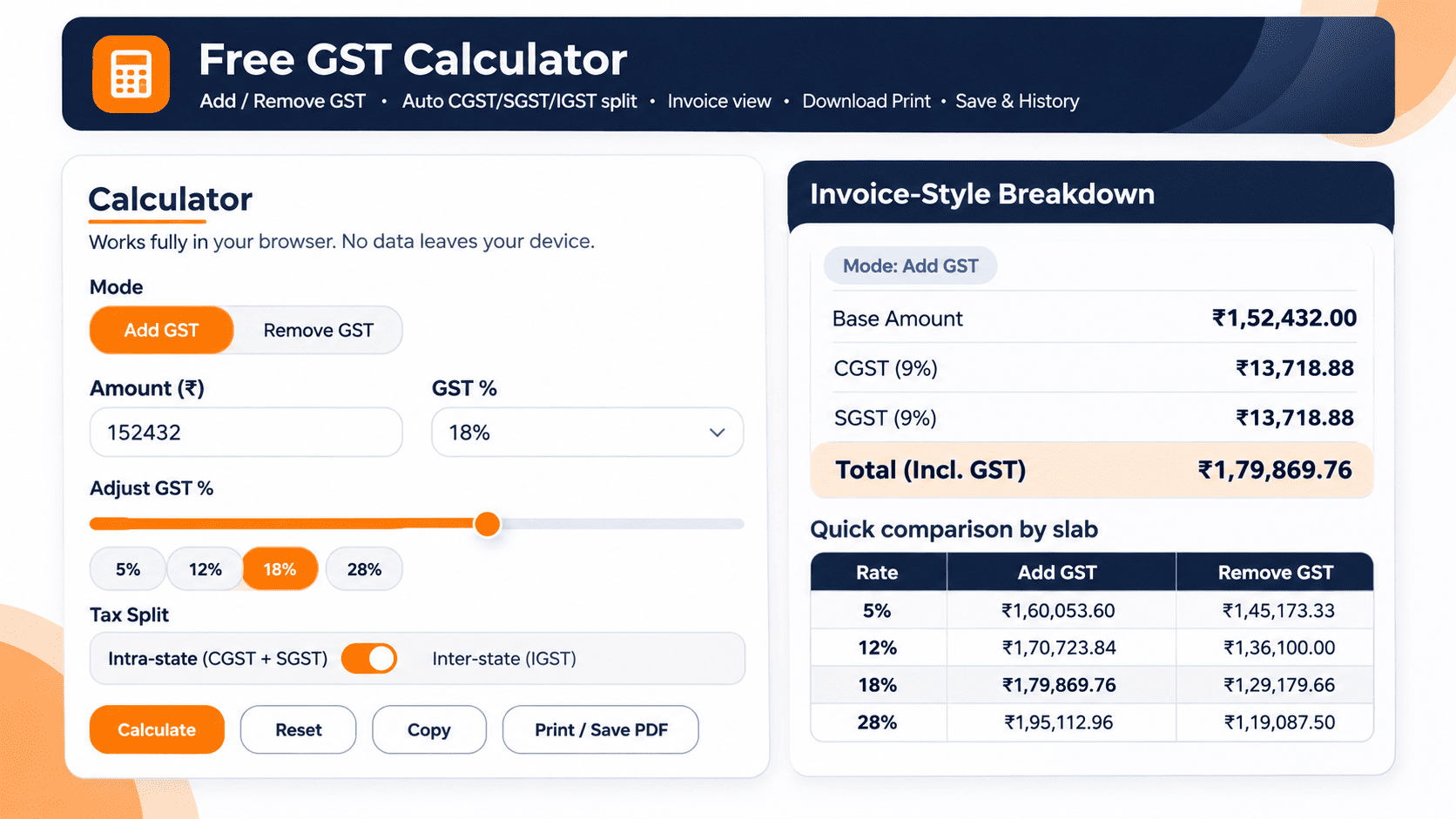
4. Interactive accounting and tax calculators
Interactive calculators give visitors something useful to do rather than simply reading information.
Accounting firms can add tools such as:
- VAT calculator.
- Corporation tax estimation tool.
- Payroll cost calculator.
- Employee salary calculator.
- Bookkeeping cost estimator.
- Accounting service fee estimator.
- Business cash flow calculator.
- Freelancer tax estimation tool.
For example, a bookkeeping cost estimator could ask visitors about their monthly transaction volume, number of bank accounts and reporting requirements before providing an indicative service estimate.
These tools can also direct visitors towards the relevant accounting service.
All calculations should clearly explain their assumptions, applicable tax year and limitations. Tax estimates should not be presented as guaranteed liabilities or personalised professional advice.
5. Conversational search and voice-enabled website navigation
Traditional website services often depend on visitors knowing the exact service name. Conversational search allows them to use natural questions instead.
For example, instead of searching for "corporation tax", someone could type: "How can an accountant help my small limited company manage its annual tax return?"
The website can identify relevant service pages, articles and FAQs.
Voice navigation can provide another way to search or interact with website content, particularly for accessibility and convenience.
Useful capabilities include:
- Natural-language website search.
- Suggested related questions.
- Voice-to-text input.
- Search recommendations.
- Contextual service discovery.
Keep conventional menus and search options available as well, so visitors are not forced to use AI.
6. Real-time financial dashboards and client insights
An accounting website can go beyond providing information by connecting authorised clients to relevant financial dashboards.
Through secure integrations with accounting platforms, clients may be able to view:
- Cash flow information.
- Income and expenditure.
- Profit and loss summaries.
- Outstanding invoices.
- Financial reporting.
- Business performance indicators.
- Tax-related information where supported.
For example, a business owner could log in to a secure client area and access a financial summary without requesting a separate report by email.
The dashboard should display the date of the latest synchronisation and clearly explain where information comes from.
AI-generated financial summaries may also help explain trends, but accountants should review important financial interpretations before they are presented as professional advice.
7. Smart lead qualification and progressive enquiry forms
Long enquiry forms can discourage potential clients. Progressive forms solve this problem by collecting information in smaller, relevant steps.
For example, the first question could be: "What type of accounting support do you need?"
Depending on the answer, the website can display relevant follow-up questions.
A visitor selecting bookkeeping might be asked about monthly transactions, while someone selecting payroll might be asked about employee numbers.
The system can then:
- Identify the required service.
- Collect relevant business information.
- Assign an enquiry to the correct department.
- Send an acknowledgement.
- Create a CRM record.
- Help arrange a consultation.
AI can assist with categorising enquiries, but the firm should maintain human oversight and avoid collecting unnecessary personal or financial information.
8. Unified client experience through API integrations
Modern accounting websites increasingly need to work as part of a connected digital system.
Instead of operating separately, the website can connect different business applications through APIs and approved integrations.
Examples include:
- Xero and QuickBooks for accounting workflows.
- HubSpot and Zoho for CRM.
- Microsoft Bookings for appointments.
- Dext for document capture.
- Secure document management platforms.
- Email and communication systems.
- Practice management software.
A potential client submitting an enquiry could automatically enter the firm's CRM, while an existing client could access their secure accounting portal.
The benefit is a more consistent experience, with less manual data entry and fewer disconnected systems.
9. AI-search-ready content and structured entity information
Search is changing. People increasingly use conversational queries and AI-powered search experiences to discover professional services and understand complex topics.
Accounting firms should organise their websites so that both people and search engines can understand:
- Who the accounting firm is.
- Which services it provides.
- Which locations it serves.
- Who its qualified professionals are.
- Which industries it supports.
- What professional experience it has.
- Which accounting topics its content covers.
Useful implementation practices include:
- Organisation and LocalBusiness structured data where appropriate.
- Person information for genuine authors and professionals.
- Descriptive service pages.
- Consistent business information.
- Clear author biographies.
- Original expert explanations.
- Relevant internal links.
- Accurate references to authoritative sources.
Do not treat AI search engine optimisation as a separate technical trick. Google states that its existing SEO fundamentals remain relevant to AI Overviews and AI Mode, with no special AI schema or additional technical requirements.
10. Interactive video, micro-demos and digital client education
Accounting services can sometimes be difficult for potential clients to understand. Short videos and interactive demonstrations can make complicated processes easier to follow.
For example, an accounting website could feature:
- A short introduction from the firm's lead accountant.
- A demonstration of the client portal.
- A video explaining the bookkeeping process.
- A walkthrough of the onboarding process.
- A short explanation of VAT returns.
- A demonstration of cloud accounting software.
- Interactive financial reporting examples.
Include captions, transcripts and accessible playback controls.
Real videos featuring the firm's accountants can also demonstrate subject knowledge and give visitors a better understanding of the people they may work with.
Conclusion
Creating a high-converting accounting website in 2026 requires more than good design. Modern features such as AI chatbots, automated onboarding, tax calculators and real-time financial dashboards improve user experience.
Personalised content, secure client portals and accounting software integrations also help attract potential clients. A fast, accessible and SEO-friendly website builds trust and supports business growth.
Looking to create a modern accounting website? WOWinfotech offers website design and development solutions to meet your business needs. Get in touch with WOWinfotech and build an accounting website that turns visitors into potential clients.
FAQs
Contact us to get a digital strategy
Contact us for digital strategy guidance.